
From the moment you land, you’ll want to pull up a map, check a train transfer, or translate a menu — and how smoothly your trip goes often comes down to one thing: whether your phone has data. Japan has plenty of free Wi-Fi hotspots these days, but step outside a station or airport and the signal gets patchy fast. The most stress-free approach is to have your own mobile data working from the second you step off the plane.
You’ve got three main ways to do it — an eSIM, a physical SIM card, or a pocket WiFi (a rental router). Each has trade-offs, and the “right” one really depends on how you travel. This 2026 guide walks through how each option works, who it suits, where to grab one at the airport, and how to lean on free Wi-Fi without getting stranded.
The big picture — your three options
Before the details, here’s the lay of the land. An eSIM is a digital SIM built into your phone that you load a data plan onto — no card swapping, and you can buy and set it up online before you leave home. A physical SIM card is the old-school route: you insert a Japanese data SIM into your phone in place of your usual one. A pocket WiFi is a small rental router you carry around that connects several devices to the internet at once.
A quick rule of thumb: if you have a recent phone and you’re traveling solo, go with an eSIM;
if you need to connect several devices for a family or group, go with pocket WiFi;
and if you’re staying long-term or need an actual Japanese phone number, look at a physical SIM.
Start from those three and the choice gets a lot clearer.
eSIM — the easiest option if your phone supports it
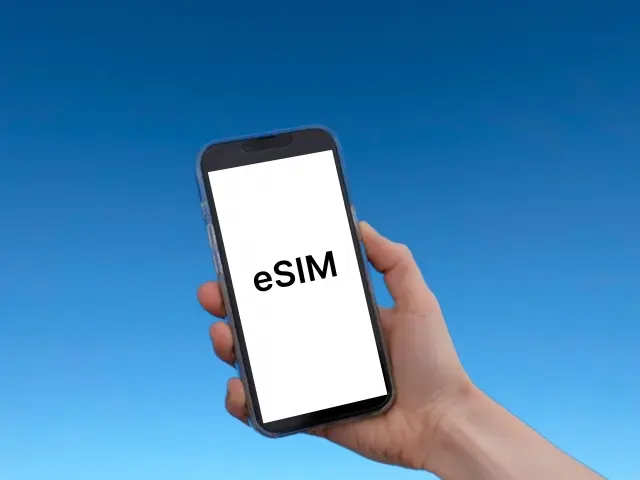
An eSIM is the simplest route today. There’s no physical card to handle: buy and install a plan online before you fly, and your data works the instant you power up after landing. No queuing at an airport counter, and no tiny SIM card to lose.
There’s just one thing to check. To use an eSIM, your phone needs to be both eSIM-compatible and carrier-unlocked. Most recent iPhones (XS and later) and major Android phones (newer Pixel and Galaxy models, for example) handle eSIMs fine, but it’s worth confirming in your Settings that you can add an eSIM before you leave home.
For travelers, there’s no shortage of eSIM providers — Airalo and Ubigi are popular global options, while Sakura Mobile stands out for local-quality coverage and real English support in Japan. Prices vary by plan, but as a rough guide in 2026: Airalo’s Japan plans start from a few US dollars, Ubigi’s 7-day unlimited plan runs around US$25, and Sakura Mobile offers English-support data eSIMs and SIMs for Japan. Short trip? Keep the data small and pay a few dollars. Heavy user? An unlimited plan saves the worry.
The key is to buy and set everything up before you arrive in Japan. Install it via QR code or app, leave it ready to switch on, and the moment you land and turn off airplane mode, you’re connected.
Physical SIM card — the swap-it-in classic
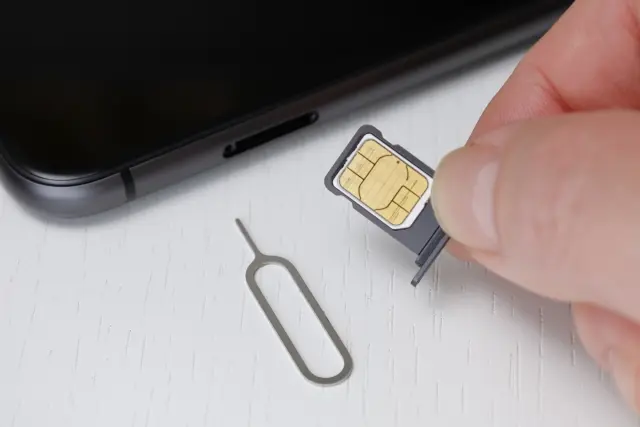
A physical SIM means opening your phone’s SIM tray and swapping your usual card for a Japanese data SIM. The upside is that it works even on phones that don’t support eSIMs, and it’s a tried-and-tested method. Most tourist SIMs are data-only — they don’t come with a Japanese phone number or voice calls, but in exchange you skip the paperwork.
You can buy one online before you go and have it delivered to the airport, your hotel, or your home, or pick one up after you arrive at an airport counter, an electronics store, or a vending machine. Data-only SIMs usually don’t require any registration, though staffed airport counters may ask to see your passport.
Watch out for one thing: carrier locks. If you insert a Japanese SIM and still get “no service,” your phone may be locked. Before you travel, check with your home carrier that your phone is unlocked. And when you swap cards, keep your home SIM somewhere safe — they’re small and easy to lose.
Pocket WiFi — great for families and groups
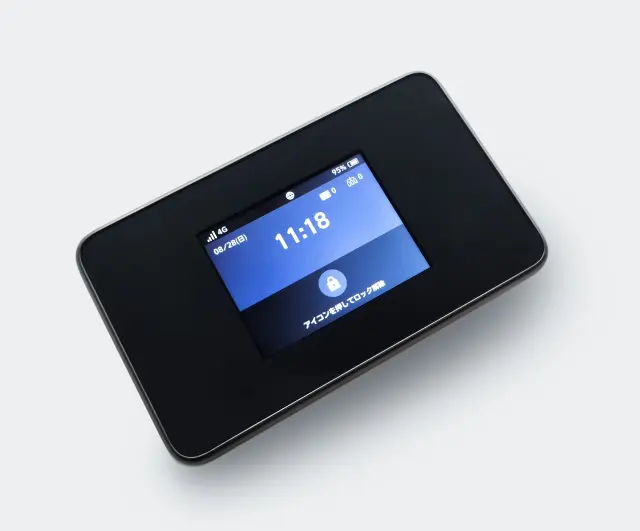
A pocket WiFi (a mobile router) is a palm-sized device you rent and carry with you, connecting several gadgets — phones, tablets, laptops — to the internet at the same time. One unit covers the whole family, so the more people sharing, the lower the cost per person.
It’s also the reliable fallback if your phone doesn’t support eSIMs or can’t be unlocked. Because you’re not touching your SIM, you keep receiving calls and texts on your home number. Major providers like NINJA WiFi start from around ¥440 a day, with pickup and return at airport counters nationwide, including Narita and Haneda.
The downsides: it’s one more device to carry and keep charged, and you have to return it. Many services let you drop it in a mailbox using a prepaid envelope as well as at airport counters, so pick whatever fits your departure route. In a group, it’s worth deciding who’s the “router keeper” — if you split up, only one of you has the internet.
So which should you choose?
Sorting it by travel style makes the call easier:
- Solo, with a recent phone, minimal hassle: eSIM. Set it up in advance and you’re online the second you land.
- A family or group with several devices: pocket WiFi. One unit for everyone, and cheaper the more of you there are.
- No eSIM support, a locked phone, or you just want a sure thing: pocket WiFi, or a data SIM from the airport.
- Long stays or a Japanese phone number: a SIM or eSIM with voice and SMS (from a provider like Sakura Mobile).
It helps to have a sense of data, too. If you’re mostly using maps, messaging, and social media, 1–2GB a day is often plenty; if you watch a lot of video, an unlimited plan is the relaxed choice. On a short trip and worried about overdoing it? Start with a smaller plan and top up (recharge) if you run low — no waste that way.
Picking one up at the airport (Narita & Haneda)
Didn’t sort it out in advance? You can still get connected at the airport. At Narita, counters from providers like SoftBank Global Rental, AnyFone JAPAN, J WiFi & Mobile, JAL ABC, and Telecom Square — along with GPA SIM-card vending machines — are spread across the arrival areas of Terminals 1 and 2. They mainly sell SIM cards and pocket WiFi, and some vendors offer eSIMs too. Staffed counters are generally open from around 7 a.m. to 9 p.m., so they may be closed late at night or early in the morning. At those hours, you’ll be relying on SIM vending machines and other self-service spots — whose locations and times vary by terminal — or on an eSIM you bought in advance.
At Haneda, you can buy or rent data SIMs and pocket WiFi mainly in Terminal 3 — at the Mobile Center, the AnyFone counter, and vending machines. It’s relatively convenient for early-morning and late-night arrivals, but self-service spots like SIM vending machines and WiFiBOX vary in location and hours by terminal, so it’s worth checking the official site before you arrive. Staffed counters may ask to see your passport, so keep it handy.
One tip: for eSIMs, buying online before you arrive — rather than at the airport — is usually cheaper and ready to go the moment you land. Think of the airport counters as your reliable backup for when you forgot to prepare, or when your phone won’t take an eSIM.
Free Wi-Fi as a backup
Japan’s free Wi-Fi turns up at airports, major train stations, some trains and buses, cafes and restaurants, and tourist information centers. A handy companion is the free “Japan Wi-Fi auto-connect” app promoted by the Japan National Tourism Organization: it supports 16 languages and connects you automatically — without having to sign up for each network separately — to compatible free Wi-Fi and OpenRoaming hotspots in Japan and abroad.
One recent change worth knowing: convenience-store Wi-Fi. It used to be available at all three big chains, but as of 2026, among the big three, Lawson is the main one still offering in-store free Wi-Fi (network name “LAWSON_Free_Wi-Fi”). On first use, you’ll need to accept the terms and enter an email address. 7-Eleven’s 7SPOT and FamilyMart’s Famima_Wi-Fi both ended in 2022.
That said, treat free Wi-Fi as a supplement. For map navigation, transit apps, ride-hailing, or translation on the move — without dropping out as you walk — your own mobile data is what you’ll lean on. Use free Wi-Fi to save mobile data or as a just-in-case safety net, and you’ll avoid the frustration.
While you’re in Japan


Note: prices, plans, store availability, and compatibility can change. Check the official sites of each provider and airport for the latest details.
This article was translated from the original Japanese with AI assistance and reviewed by our editorial team. The Japanese version is authoritative.